
Kali Linux 2025.4: GNOME 49 Goes Wayland-Only, X11 Finally Retired
Kali Linux 2025.4 ships GNOME 49 with Wayland-only sessions, joining Ubuntu and Fedora in removing X11 support while maintaining…
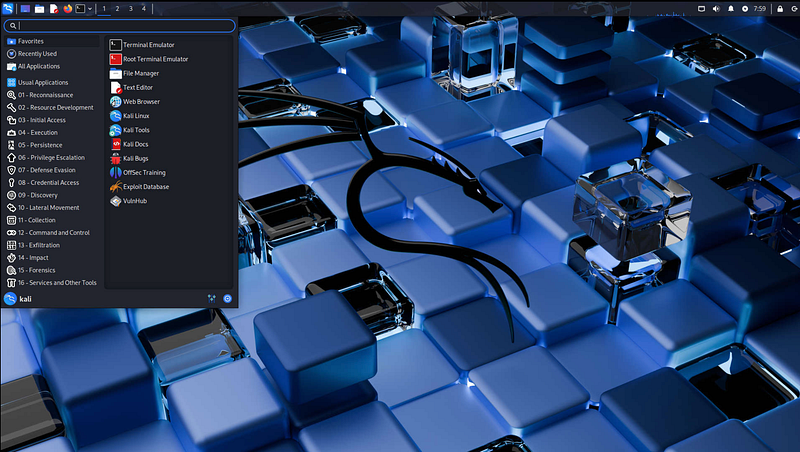
Kali Linux 2025.4 ships GNOME 49 with Wayland-only sessions, joining Ubuntu and Fedora in removing X11 support while maintaining compatibility through XWayland.
December 12, 2025. GNOME 49. Zero X11 sessions. Kali Linux joins Ubuntu and Fedora in shipping a purely Wayland desktop environment, completely removing support for X11 sessions. I watched this announcement with a mix of relief and concern.
X11 served us well since 1987. Thirty-eight years is an impressive run for any technology. But watching a security-focused distribution embrace the Wayland-only future? That tells you everything about where Linux desktop is heading.
The End of X11 (For Real This Time)
I’ve seen “X11 is dying” proclamations for over a decade. Every year, someone declared Wayland ready for prime time. Every year, something broke (screen sharing, gaming, accessibility tools, the list goes on).
This time is different.
Kali 2025.4 doesn’t just ship GNOME 49 with Wayland as default. It removes the X11 session entirely. No fallback. No “just in case.” Pure Wayland or nothing.
But here’s the critical nuance: While X11 sessions are gone, your X11 applications still work. XWayland handles legacy X11 applications transparently. Most security tools will continue functioning without modification. The Kali team confirmed that XWayland “will be around with us for decades.”
The distinction matters: You can’t boot into an X11 session, but X11 applications run seamlessly under Wayland. This reduces (but doesn’t eliminate) compatibility concerns.
The trade-off is clear: Better security isolation (applications can’t spy on each other’s windows) with maintained application compatibility through XWayland. For a security distribution, that’s the right balance.
If this resonates with your experience migrating between display protocols, clap so other security professionals can find it.
X11 vs Wayland: The 40-Year Display Server War Explained
Three New Security Tools
Beyond the Wayland transition, Kali 2025.4 adds three tools worth knowing:
bpf-linker: A linker for eBPF programs. If you’re doing kernel-level security research, eBPF is becoming essential. This tool simplifies building and linking eBPF applications.
evil-winrm-py: A Python reimplementation of Evil-WinRM for Windows Remote Management exploitation. The original Ruby version worked, but Python integration with existing tooling is often smoother.
Hexstrike-AI: AI-assisted security analysis. I’m skeptical of most “AI-powered” security tools (they tend to be pattern matching with marketing), but this one focuses on hex analysis and binary patterns.
The trend is clear: eBPF for kernel work, Python for tooling consistency, and AI augmentation for analysis. Whether these tools survive beyond the hype cycle depends on community adoption.
I am a human writer who gets motivated to write more with your support! You don’t need to pay. I just need your clap 👏 if you like my story and comment ✍️ if you want to say something. You can follow me on Medium, LinkedIn, Instagram, and X.
NetHunter Expands to Android 15/16
For mobile penetration testing, NetHunter now supports Android 15 and 16 on an expanded device list. Mobile security testing has always been challenging (fragmented ecosystems, locked bootloaders, carrier restrictions), and expanded device support helps.
I’ve coordinated security assessments where mobile testing was either impossible or required specific hardware we didn’t have. More device support is genuinely useful.
The NetHunter expansion includes:
Android 15/16 support on newer devices
Improved kernel integration for wireless attacks
Better power management during long assessments
If you’ve struggled with NetHunter device compatibility, check the updated support matrix. Your testing hardware might finally be supported.
KDE Plasma 6.5 and Xfce Updates
Not everyone wants GNOME’s Wayland-only future. Kali 2025.4 offers alternatives:
KDE Plasma 6.5 includes the major window tiling improvements introduced in the 6.x series (finally catching up to tiling window manager users), plus better screenshot tools. The performance improvements are noticeable, especially on lower-powered hardware used in field assessments.
Xfce gains color theme support and terminal shortcuts. Xfce has always been the “it just works” option for security professionals who want stability over features. These updates maintain that philosophy while adding quality-of-life improvements.
Have you experienced the Wayland transition on your security workstation? What broke?
Full VM Guest Utilities for Wayland
Virtual machine support was always X11’s strength. The mature guest utilities, seamless clipboard integration, and automatic resolution changes all worked because X11’s architecture made them simple.
Kali 2025.4 includes full VM guest utilities for Wayland across:
VirtualBox
VMware
QEMU
This matters because many security professionals run Kali in VMs (isolation, snapshots, easy reset after malware analysis). The VM experience on Wayland is now comparable to X11.
I tested this on QEMU with spice-vdagent, and the clipboard sharing, automatic resolution, and display scaling work as expected. If VM performance was your Wayland concern, Kali addressed it.
Linux Kernel 6.16.0
The kernel upgrade to 6.16.0 brings the expected improvements:
Better hardware support
Updated wireless drivers (critical for security testing)
Improved eBPF capabilities
Performance optimizations
Nothing revolutionary, but solid incremental progress. The wireless driver updates are particularly relevant for wireless security assessments.
The Practical Reality
For X11, the moment arrived.
Screen sharing now works reliably on Wayland. Gaming works. Accessibility improved. The security model is fundamentally better (applications can’t spy on each other’s windows). The holdouts are running out of excuses.
Kali joining this transition (following Ubuntu 25.10 and Fedora 43) makes strategic sense. Security professionals:
Need the isolation Wayland provides
Benefit from XWayland’s compatibility layer for legacy tools
Are technically capable of adapting workflows
The transition already happened across major distributions. Ubuntu led in early October 2025, followed by Fedora later that month, and then Kali in December. If you’re still running X11 sessions, the migration window is closing.
What You Should Do Now
Audit your tools: Focus on tools that manipulate window managers or require X11 session features (not just X11 applications). Screen recording, remote access tools that interact with display servers, and window automation scripts need verification.
Test on Wayland: Before upgrading, spin up Kali 2025.4 in a VM. Run your standard workflow. Most X11 applications will work via XWayland, but test your specific toolchain.
Update or replace: For the minority of tools that break, check if Wayland-native updates exist. XWayland compatibility covers most cases.
Follow the trend: Ubuntu 25.10 and Fedora 43 (both October 2025) already made the same transition. The removal of X11 sessions is now standard across major distributions.
The transition is happening. You can lead it, follow it, or be dragged by it. But you can’t ignore it.
Experience matters more than articles when navigating these transitions. Test your specific workflows before committing.
What’s your biggest concern about the Wayland-only future? Which tools are you worried about breaking?
I am a human writer who gets motivated to write more with your support! You don’t need to pay. I just need your clap 👏 if you like my story and comment ✍️ if you want to say something. You can follow me on Medium, LinkedIn, Instagram, and X.