
GNOME Completely Drops X11 Support: The Wayland Era Begins
Wayland was another ambitious Linux project that will take forever. We are in 2025, and I have to eat my words.
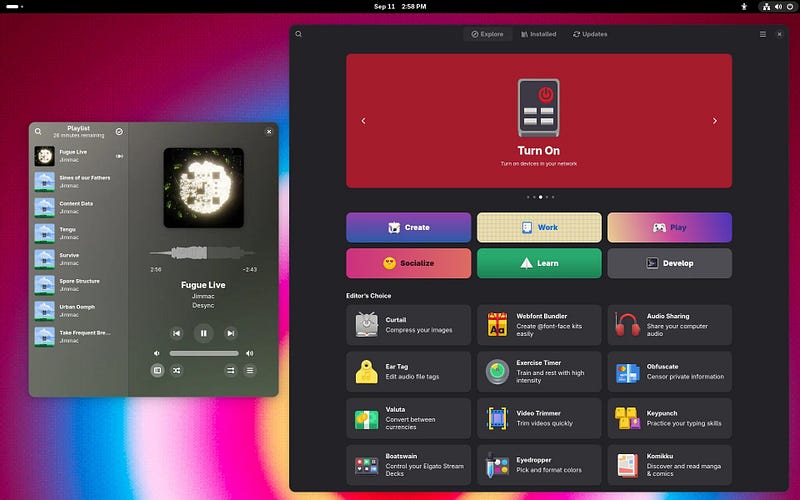
I still remember the first time I heard about Wayland. It was around 2012, and I thought to myself, “Yeah, right. Another ambitious Linux project that will take forever.” Well, here we are in 2025, and I have to eat my words. On November 5, 2025, GNOME developers merged a massive code change that completely removes the X11 backend from Mutter, GNOME’s compositor and window manager. After 38 years, X11’s reign as the dominant Linux display server is officially over.
Let me be perfectly honest with you. I’ve been using Linux for over 20 years, and I’ve seen countless “revolutionary” changes come and go. Some delivered on their promises. Most didn’t. But this one? This is actually happening, and it’s arguably the most significant architectural change in Linux desktop history since X11 was introduced in 1987. GNOME 50, scheduled for March 2026, will ship with zero X11 code. Not disabled. Not optional. Gone.
Now, before you panic or celebrate (depending on which camp you’re in), let me walk you through what this actually means, why it happened, and what you should do about it. Because trust me, there’s a lot of noise out there, and not all of it is helpful.
The Timeline: How We Got Here
Let’s start with the facts, because the timeline matters:
September 2025: GNOME 49 released with X11 disabled by default but code still present
October 2025: Ubuntu 25.10 and Fedora 43 both shipped as Wayland-only releases
November 5, 2025: GNOME developers merged the code change removing X11 backend from Mutter
March 2026: GNOME 50 scheduled for release with complete X11 removal
X11 vs Wayland: The 40-Year Display Server War Explained
This wasn’t a sudden decision. The GNOME team has been telegraphing this move for years. But here’s the thing nobody talks about: the actual removal happened faster than most people expected. I remember reading discussions in early 2024 where developers were still debating whether GNOME 49 or 50 would be the cutoff point. They chose 50, but the code removal happened during the 50 development cycle, which caught some people off guard.
I’ve been running Wayland as my daily driver since 2022, and the transition has been smoother than I expected. But that’s just my experience. Your mileage may vary, and that’s what frustrates me about this whole conversation. Everyone treats it like a binary choice: either Wayland is perfect or it’s trash. Reality, as always, is more nuanced.
I am a human writer who gets motivated to write more with your support! You don’t need to pay. I just need your clap 👏 if you like my story and comment ✍️ if you want to say something. You can follow me on Medium, LinkedIn, Instagram, and X.
What Actually Changed (And What Didn’t)
Here’s where the confusion starts. Let me clear this up because I’ve seen way too much misinformation floating around:
What’s gone:
The X11 backend code in Mutter (GNOME’s compositor)
The ability to run a GNOME session on X11 natively
The build flags and configuration options for X11 support
What remains:
XWayland compatibility layer for running legacy X11 applications
Support for existing X11 apps through the compatibility layer
Your ability to run X11-based window managers separately if you want
This distinction is critical. GNOME isn’t killing your ability to run X11 applications. It’s killing the X11 session itself. Your old applications that were built for X11 will still run through XWayland. Will they run perfectly? That depends on the application, and I’ll get to that in a moment.
I can clearly say that the GNOME team made the right architectural decision here. The X11 codebase in Mutter was becoming a maintenance nightmare. Every new feature required duplicating work across two completely different backends. Every bug fix needed testing in two environments. The code was diverging, and maintaining feature parity was increasingly impossible.
The Real Reasons Behind This Move
Let’s cut through the marketing speak and talk about why this actually happened. The official line is all about HDR support, better security model, and improved performance. And you know what? That’s all true. But it’s not the whole story.
The honest truth is that maintaining X11 support was holding GNOME back. Here are the real reasons:
Development velocity: The GNOME team couldn’t ship new features fast enough because everything had to work on both backends
Security: X11’s security model is fundamentally broken, and there’s no fixing it without breaking everything
Modern hardware: HDR, variable refresh rate, better multi-monitor support, all of these require architectural changes X11 can’t support
Developer burnout: Nobody wants to maintain legacy code when they could be building new features
Industry momentum: Wayland has already won, the writing was on the wall
The ecosystem has moved on. GNOME is just acknowledging reality.
The Migration Experience: What I’ve Learned
I switched my primary development machine from X11 to Wayland in late 2022. Here’s what actually happened, not the theoretical nonsense you’ll read in most articles:
What worked immediately:
General desktop usage (browsing, email, office work)
Most modern applications built with GTK or Qt
Multi-monitor setups (actually better than X11)
Touchpad gestures and touch input
Fractional scaling (still a struggle)
What required workarounds:
Screen sharing in some video conferencing apps (Firefox, Chrome have gotten better)
Some older Java applications with wonky rendering
Specific remote desktop solutions
Certain screen capture tools
What still has issues:
Some accessibility tools (this is the real problem nobody wants to talk about)
Legacy enterprise applications that assume X11
Specific gaming scenarios (though Wayland gaming has improved dramatically)
The worst part is that your experience will vary wildly depending on your hardware, your distribution, and your specific use cases. I’m running an AMD GPU, which has excellent Wayland support. If you’re on NVIDIA, your experience might be different (though NVIDIA has gotten much better recently).
What You Should Actually Do
Now, here’s where I get practical. Forget the ideology wars. Forget the “Wayland is the future” versus “X11 forever” nonsense. Here’s what you should actually do based on your situation:
If you’re on Ubuntu 24.04 LTS or earlier:
You’re fine. LTS releases will maintain X11 support for their support lifecycle. You’ve got time.
If you’re on Fedora or bleeding-edge distributions:
Start testing Wayland now if you haven’t already. Fedora 43 shipped Wayland-only in October 2025. You need to know if your workflows work.
If you’re running specialized software:
Test everything. Don’t assume. I’ve seen medical imaging software, CAD applications, and specialized scientific tools that have issues. Test before you upgrade.
If you’re managing enterprise desktops:
This is going to be painful. Start your migration planning now. You’ll need time to test, validate, and potentially find alternatives for tools that don’t work.
If you’re a developer:
If you’re building desktop applications, Wayland support should be on your roadmap if it isn’t already. The ecosystem has moved on.
I know this isn’t the simple “just upgrade” or “never upgrade” answer people want. But I’ve been doing this long enough to know that simple answers are usually wrong answers.
The Bigger Picture
Here’s what this move really represents: the Linux desktop ecosystem making a hard choice to move forward instead of maintaining backward compatibility forever. And you know what? It’s about time.
I’ve watched the Linux desktop try to be everything to everyone for two decades. We’ve maintained compatibility with ancient software, supported edge cases that almost nobody uses, and generally prioritized “freedom to do anything” over “actually works well.” Don’t get me wrong, that freedom is valuable. But it comes at a cost.
The cost is development velocity. The cost is modern features. The cost is competing effectively with macOS and Windows in areas that matter to most users. GNOME dropping X11 is a signal that at least one major desktop environment is willing to make hard choices to move forward.
Will this fragment the ecosystem? Probably. Some distributions will stick with X11-supporting window managers. Some users will switch to different desktop environments. That’s fine. That’s how open source works. But GNOME is betting that most users will follow where the development energy is going, and based on what I’ve seen, that bet is probably correct.
Final Thoughts
I’ve learned that major transitions are always messy. Always. The move from X11 to Wayland won’t be different. There will be broken workflows. There will be angry users. There will be software that doesn’t work. This is normal.
But here’s the thing: the transition is happening whether you like it or not. Ubuntu 25.10 and Fedora 43 shipped Wayland-only in October 2025. GNOME 50 arrives in March 2026 with zero X11 code. The timeline is set. The decision is made.
Your job now is to test your workflows, identify potential issues, and plan accordingly. Don’t wait until the day GNOME 50 lands and your critical application doesn’t work. Test now. Validate now. Find solutions or alternatives now.
And if Wayland doesn’t work for your use case? That’s okay too. Switch to a desktop environment that still supports X11, or stick with your current LTS release until your situation changes. But make an informed decision based on your actual needs, not internet arguments.
I’m optimistic about Wayland’s future, but I’m also realistic about the transition pain. We’re living through a significant moment in Linux desktop history. The question isn’t whether the Wayland era is beginning (it clearly is), but whether you’re prepared for it.
Start testing. Start planning. And for the love of everything holy, don’t upgrade production systems without validation.
Believe me, I’ve learned that lesson the hard way more times than I care to admit.
I am a human writer who gets motivated to write more with your support! You don’t need to pay. I just need your clap 👏 if you like my story and comment ✍️ if you want to say something. You can follow me on Medium, LinkedIn, Instagram, and X.